GBOX V1.1.0
Hey DIG streamers!
After more than a month of development, we've rolled out some new features you've been asking for—and also fixed a bunch of issues in Goals, Actions & Events.
We really hope you keep sharing feedback, reporting bugs, and telling us what overlays you need most. GBox is something we're building together for DIG creators—let's keep making it better and easier to earn.
1. New Dashboard
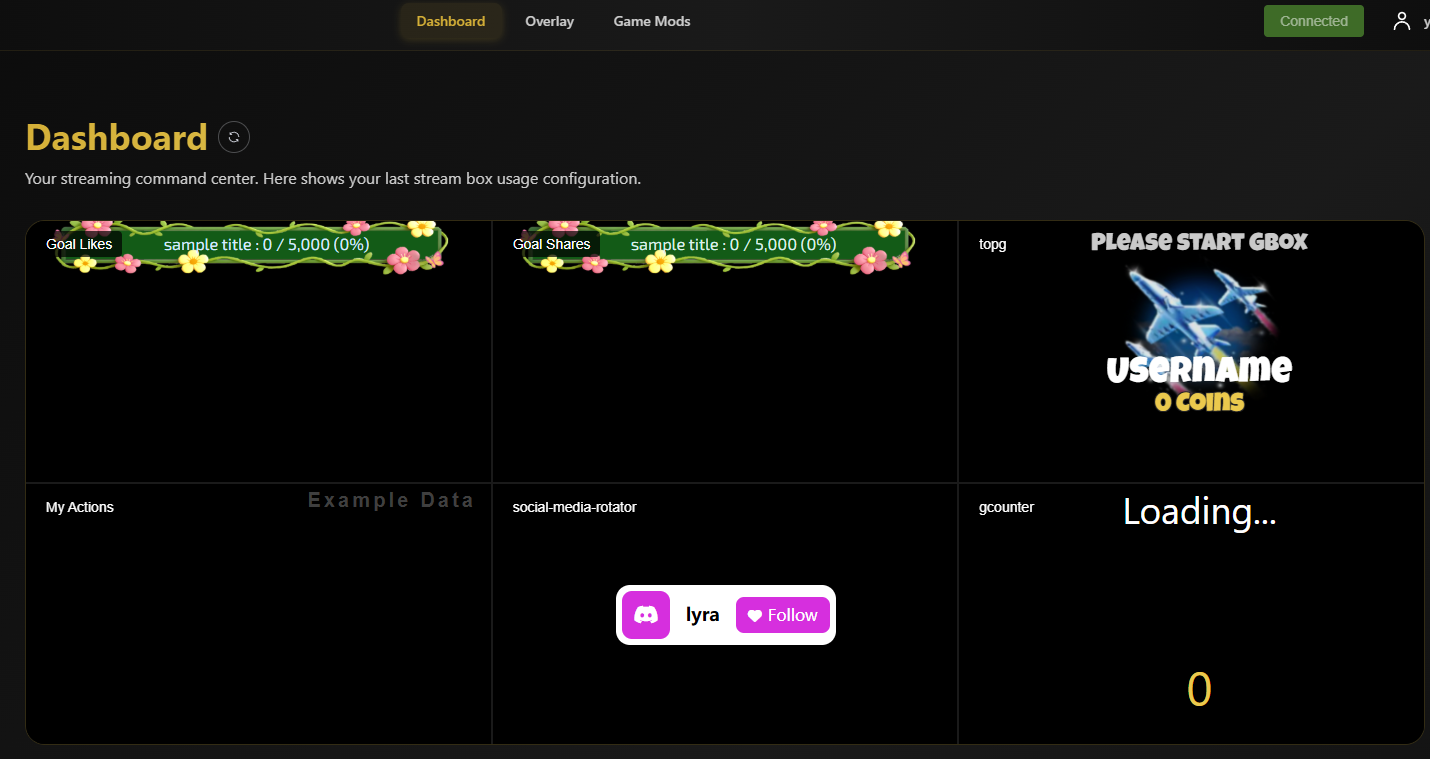
We've added a brand new Dashboard UI right next to your overlay.
- You'll now see your 6 most-used overlays on the main screen
- Each one has a Customize button for quick edits
- You can also click More to jump to full settings
- Everything you use the most—now more accessible.
2. Simulate Keystrokes Action
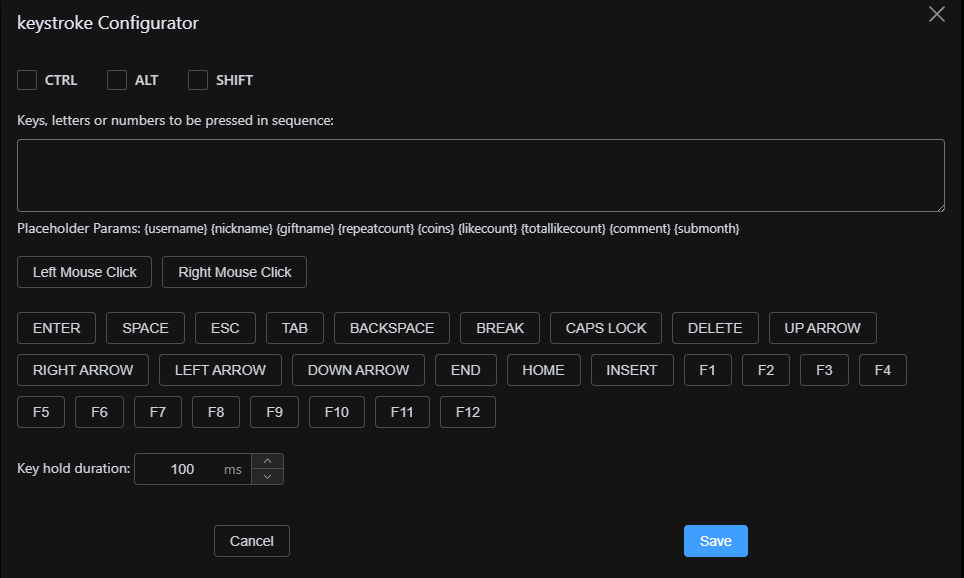
You can now set up keyboard actions directly in GBox—no extra software needed.
- Supports CTRL / ALT / SHIFT (they stay held during the sequence)
- Perfect for triggering things in your stream setup
You can test it here before going live:
https://www.zfrontier.com/lab/keyboardTester
3. New Gift Overlays
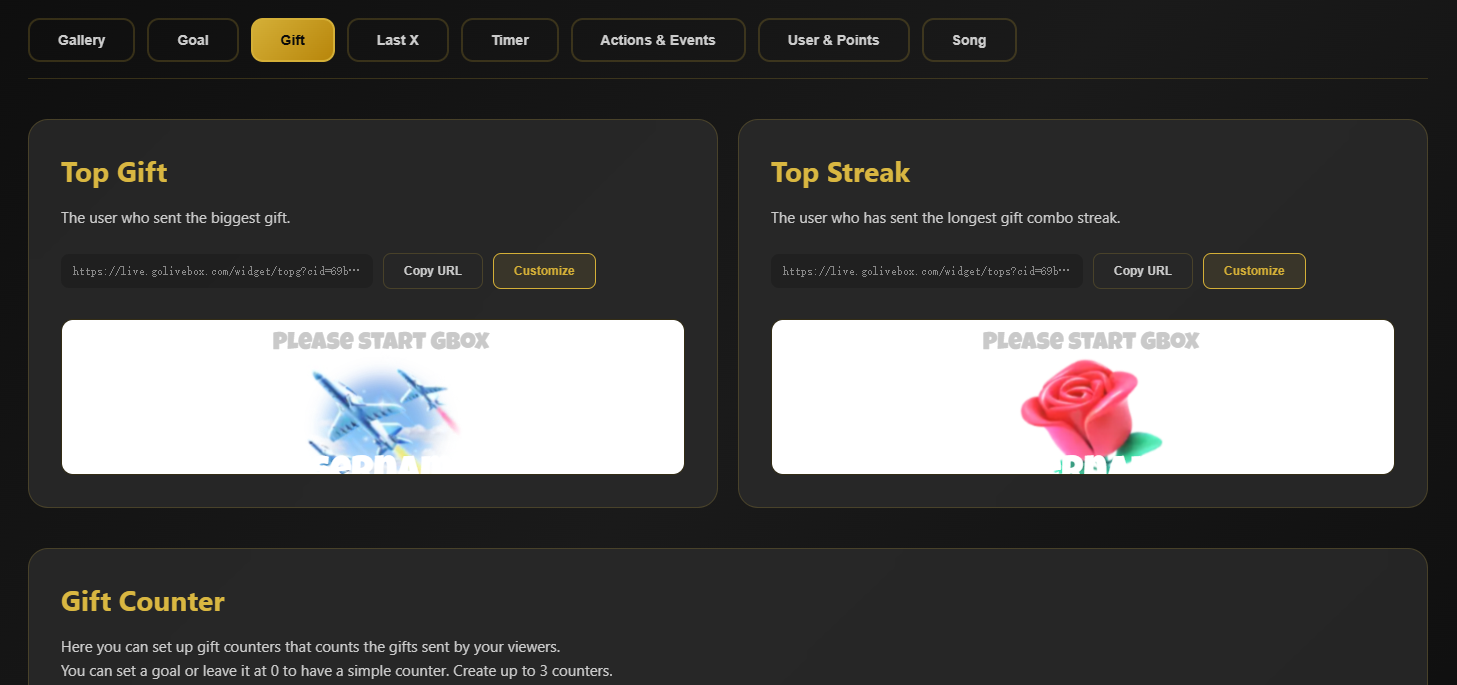
We've added new overlays in the Gallery:
- Top Gift
- Top Streak
- Gift Counter
More ways to highlight the love from your supporters!
4. Social Media Rotator Overlay
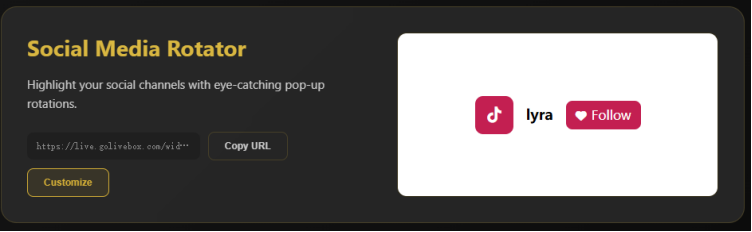
You can now display your social media accounts in rotation.
- Customize which platforms and IDs to show
- Great for growing your audience across multiple platforms
Fixes & Improvements
- Fixed issue where .mp3 files couldn't upload in Actions
- Fixed video preview not working after upload (now shows upload status and plays correctly after loading)
- Goal progress now updates in real-time for every like/share/gift (not just 1% changes)
- Added connection status indicator (check your GBox server + live room connection anytime)
- Added a force refresh button near overlay titles in case connection status doesn't update correctly
A Quick Reminder
When you end your stream, please make sure to properly close OBS / TikTok Live Studio (or end them via Task Manager).
This helps GBox reconnect smoothly next time you go live—thanks for your support!
Coming in April and Feature
We've got more exciting features on the way:
- Chat command events
- Chatbot actions
- Webhook actions
- Sticker events
- Spotify song requests
- Stream profiles
And we're launching a brand new module:
Mini-Games
A collection of web-based games for you to play with your audience during streams!
Thanks again for being part of DIG
Let's keep building GBox together—and make streaming even more fun and profitable 🎉